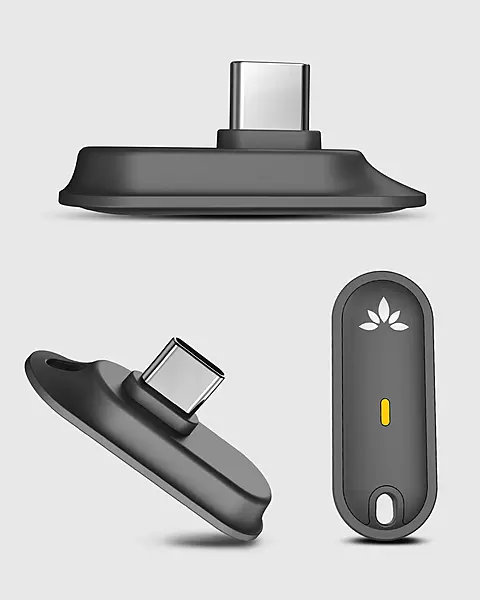
Aura C
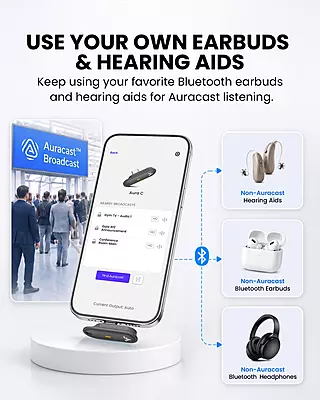
Access Auracast™ through your phone—even if your hearing aids don’t support Auracast.
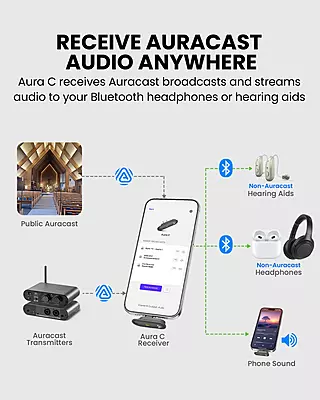
VenuCast Aura C plugs into a compatible USB-C phone and receives an available Auracast broadcast. Your phone then sends the audio to supported hearing aids, Bluetooth headphones or earbuds connected to it.
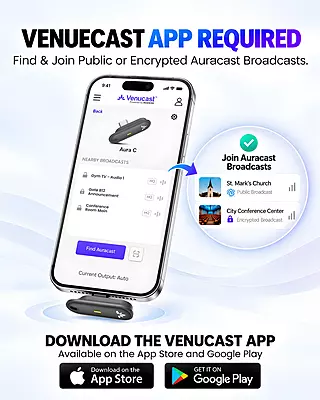
Plug in Aura C, open the supported app and select the broadcast. The receiver draws power from your phone, so there is no separate receiver battery to charge.
Check compatibility before purchasing
Compatibility depends on your phone, app and hearing devices. Audio delay can affect lip-sync and cause an echo when listening alongside live venue sound.
Contact Hear Room to check whether Aura C suits your setup.
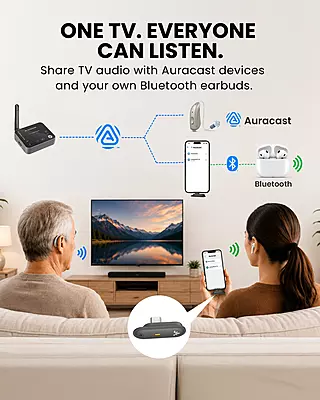
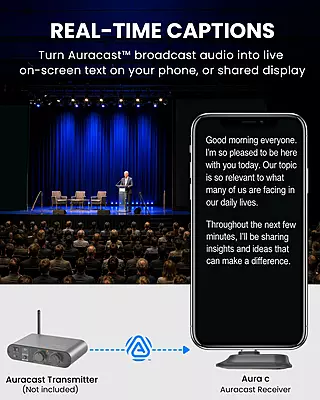
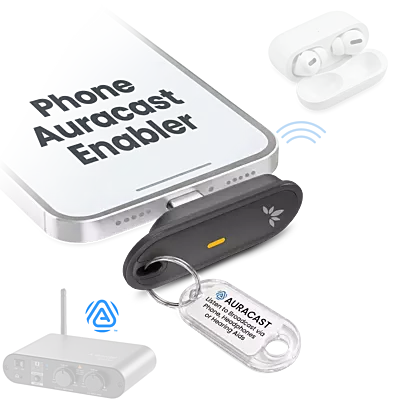
Access Auracast™ broadcasts through a compatible USB-C phone.
Listen through supported hearing aids, Bluetooth headphones or earbuds connected to your phone.
Select public or password-protected broadcasts using the supported app.
Powered directly from your phone.
Compact and lightweight for personal listening.
Compatibility: Requires a compatible phone, supported app and suitable hearing aids or headphones. An Auracast broadcast must be available.
Audio delay: Delay may affect lip-sync or cause an echo when listening alongside live venue sound.


